Quick Start#
After logging in for the first time, it is recommended to change the default password by clicking Change Password at the top right
It is recommended to add the translation engine first before adding the feed, unless you just want to proxy the source
After adding the feed for the first time, it will take some time for translation and generation, it may take about 1 minute.
Status Description:
 | Processing |
 | Completed |
 | Failed |
The current status is not updated automatically, please refresh the page to get the latest status.
Add Translation Engine#
Select the translation engine provider you want to add on the left side and click the +Add button.
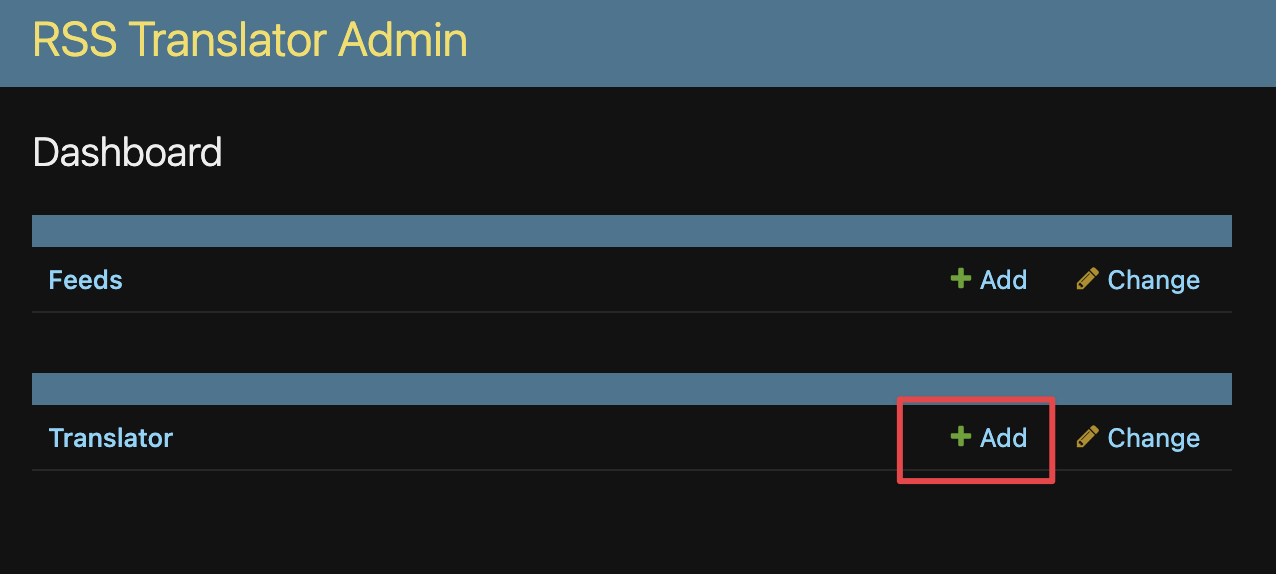 Then enter the relevant information and save
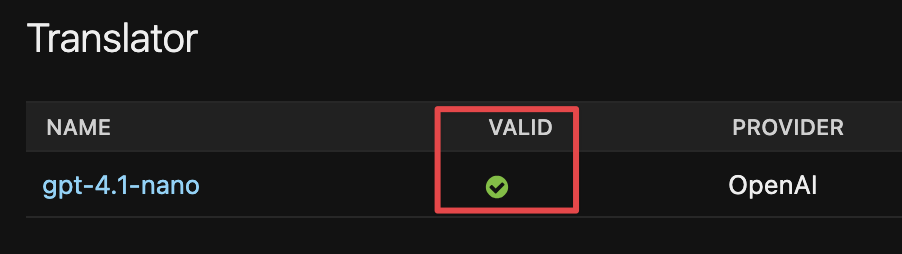
Check that it is valid, if it is not, you need to check the information you have entered and re-save to validate it.
Add source#
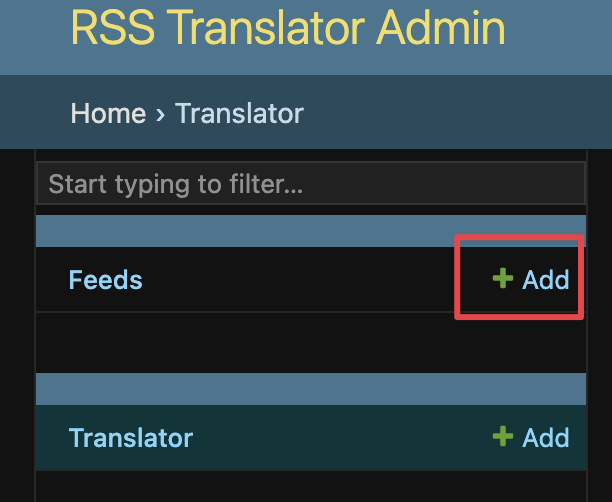
Click the +Add button on the left source
 Enter the relevant information
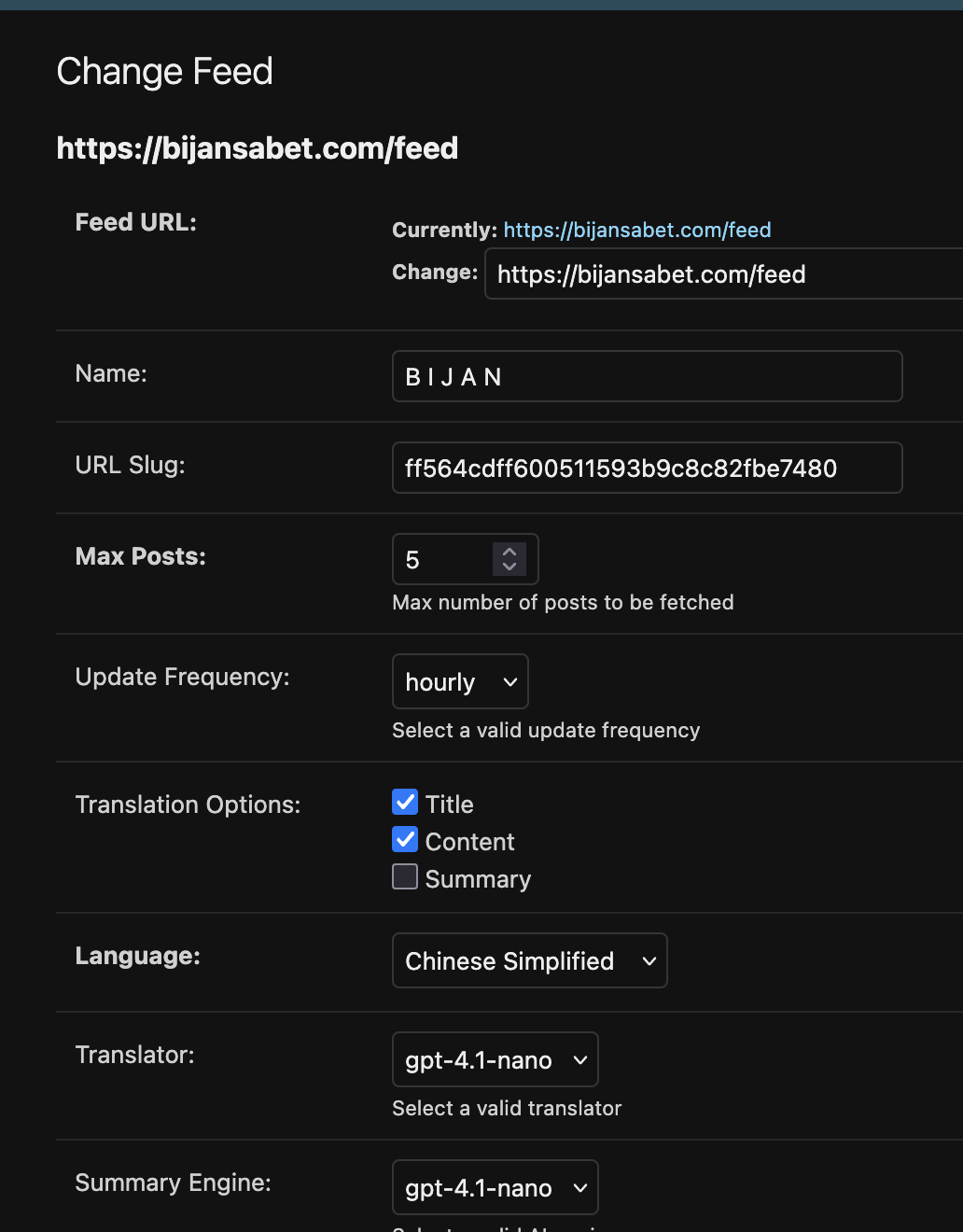 Save and you will be redirected to the list of feeds
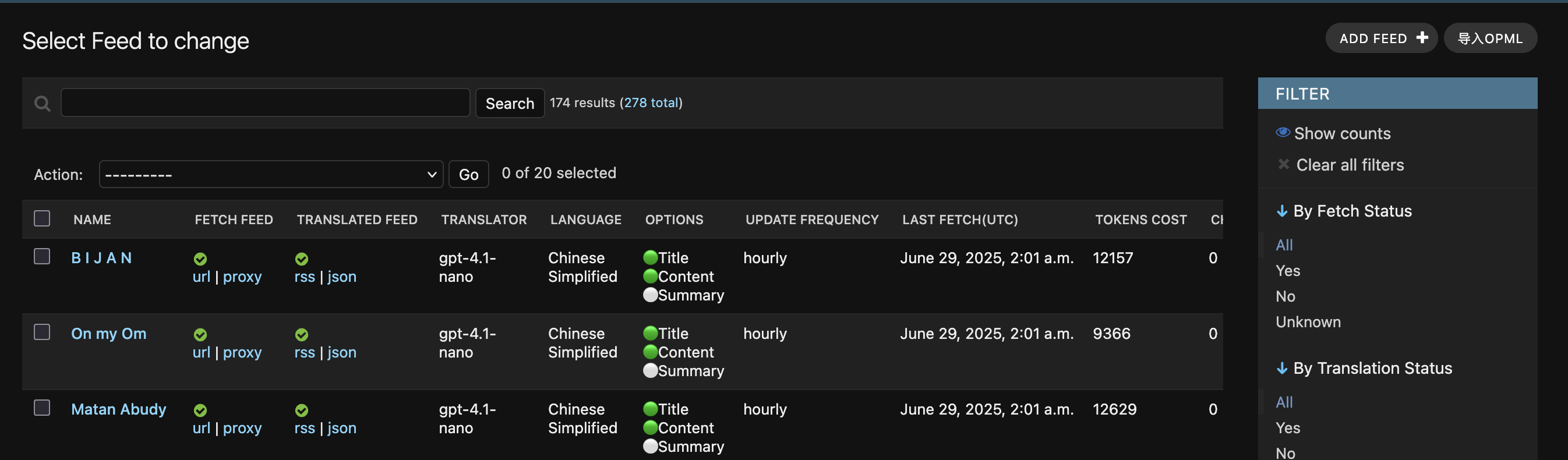 After waiting for the translation status to complete, you can copy the RSS URL below and subscribe to it in your favorite reader!
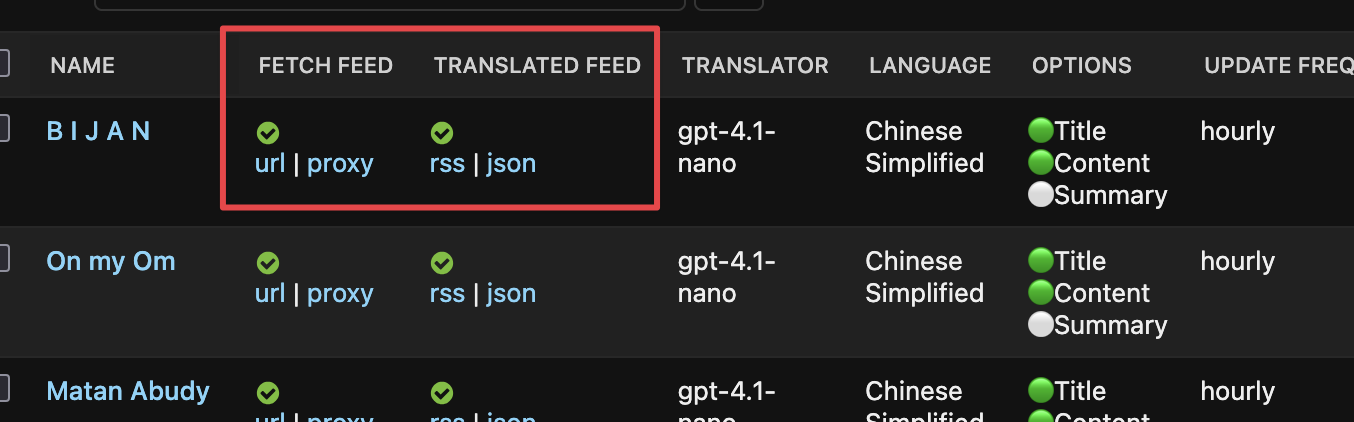 The proxy address is a proxy for the original feed, and the content is the same as the original feed.
The rss address is the translated feed address and the json address is the translated feed address in json format.
The proxy address is a proxy for the original feed, and the content is the same as the original feed.
The rss address is the translated feed address and the json address is the translated feed address in json format.
Action#
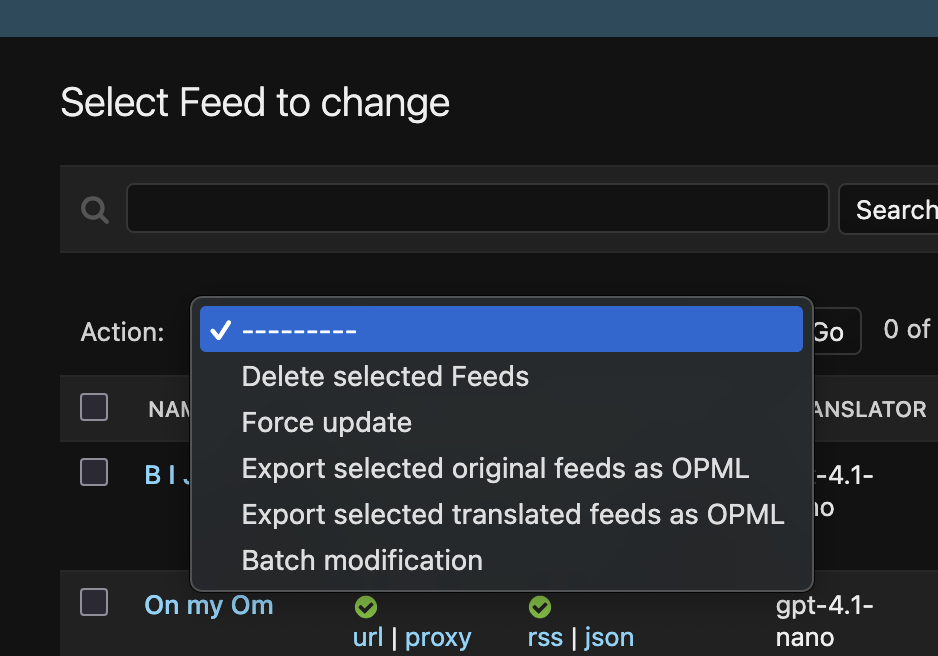
Check the source you want to operate, click Action, select the corresponding option, and click Go.
Individually subscribe to sources in a category#
http://127.0.0.1:8000/rss/category/mycategory-1